Executive Overview
For decades, Native Instruments’ Absynth has occupied a legendary, almost mythical status in the pantheon of electronic music production. Celebrated for its unique multi-stage envelopes, deep modulation matrix, and capability for complex, long-form sound design, Absynth has historically been the go-to instrument for cinematic soundscapes, sprawling ambient pads, and otherworldly textures. Yet, beneath its ethereal, atmospheric exterior lies a remarkably robust architecture that is surprisingly well-suited for the driving, industrial, and relentless demands of modern techno.
With the release of Absynth 6—included as the crown jewel of Komplete 26—Native Instruments has completely overhauled and modernized this legendary soft synth. This iteration introduces a vastly more powerful Granular Engine, pristine Moog-modeled ladder filter suites, and revolutionary spatial tools like the lush Aetherizer effect.

In this comprehensive production masterclass, we explore how Absynth 6 can be pushed far beyond its traditional boundaries. Starting with nothing more than a single, unassuming one-shot sample of a Peking Opera Gong, we will deconstruct the step-by-step process of engineering a complete, multi-layered, performance-ready techno riff. By utilizing advanced multi-stage envelope transformations, precise frequency modulation, and complex layering across multiple channels, producers can transform a simple metallic transient into a massive, driving, and constantly evolving anchor for an entire underground techno track.
Detailed Chronology: Step-by-Step Production Guide
To follow along with this masterclass, open your Digital Audio Workstation (DAW), set your project tempo to a steady, driving 129 BPM, and load up an instance of Absynth 6.

[Starting Sound: Single Peking Opera Gong]
       │
       ├─► Layer 1 (Granular Engine) ──► Pitch Shift (-12st) ──► Envelope / LFO Mod ──► Ladder Filters (BP + LP) ──► [Acid Line]
       │
       ├─► Layer 2 (Sample Engine) ────► Pitch Shift (-24st) ──► Retrigger Envelopes ──► Aetherizer Effect ──► [Groove & Space]
       │
       └─► Layer 3 (Sample Engine) ────► Loop Editing ────► Syncopated Repeats ────► [Final Layer Combination]
Step 1: Laying the Foundations and Loading the Source
Begin by programming a foundational MIDI riff in your DAW’s piano roll. Feel free to design your own driving pattern or construct a rhythmic sequence centered around a hypnotic underground groove.
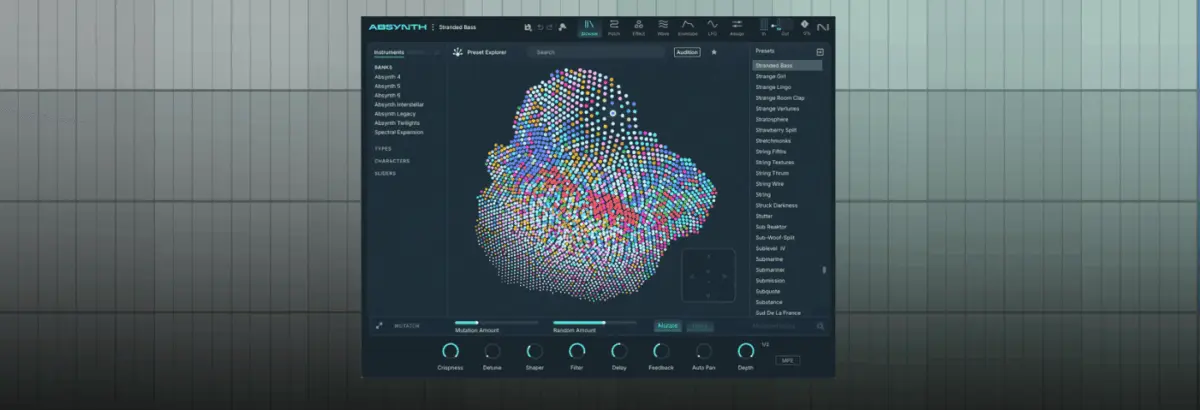
Next, instantiate Absynth 6 on your instrument track, clear any default patches by selecting New Preset, and press play. Initially, you will hear a rather uninspired, static sine wave playing your sequence. Navigate to the Patch tab, replace this default oscillator with the newly overhauled Granular Engine, and load the Peking Opera Gong sample as your primary audio source.

Step 2: Cranking Up the Granularity
While the raw gong sample adds an organic metallic quality, it lacks the grit and weight required for a proper techno track.
- Detune the sound downward by 12 semitones (precisely one octave) to give it immediate weight.
- Switch over to the Grain tab and dial the grain size down to a tight 3ms.
- Observe the difference made by Absynth 6’s overhauled Granular Engine. The maximum grain density has been doubled to an aggressive 32. To understand how crucial this update is, try dropping the Density parameter down to 4; the resulting sound immediately loses its punch, sounding thin and limp compared to the thick, cohesive wall of sound generated at maximum density.
Step 3: Unleashing Absynth’s Secret Weapon — Envelopes & LFOs
Absynth has always derived its signature movement from its unrivaled envelope capabilities.

- Click on Osc A Amp, open the Transform menu, and select Expand to Rhythm, ensuring that BPM Sync is fully engaged.
- Next, click New Envelope and assign it to Osc A Main Pitch.
- Engage the LFO button and pull the very first envelope breakpoint all the way down.
Miraculously, you now have an envelope actively pumping the overall amplitude level while an LFO introduces complex pitch modulation. What started as an acoustic gong strike is rapidly transforming into a filthy, driving acid bassline.
Step 4: Fine-Tuning the Modulation Parameters
Head over to the LFO page and deliberately deselect channels B and C from the LFO’s pitch assignment matrix—we want this specific modulation strictly confined to our primary layer.

- Raise the Pitch slider to 25, the Time parameter to 1.6919, and the Phase to 32.063.
- This exact combination introduces subtle pitch wobble alongside sharp, nasty transient spikes. The result is an undeniable, driving acid line dripping with character.
Step 5: Sculpting with Moog-Style Ladder Filters
To truly carve out space for the riff in a dense mix, we turn to Absynth 6’s brand-new Moog-modeled Ladder filter suite.
- Insert a Ladder BP (Band-Pass) filter first, setting the cutoff to 542.92 Hz. This effectively isolates and highlights the boxy, aggressive mid-range frequencies essential for raw techno.
- Follow this with a Ladder Low-Pass filter set to 500.56 Hz, pushing the resonance parameter up to 43.875.
The result is a warm, self-oscillating, ultra-filthy analog-style filter sweep that glues the entire riff together.

Step 6: Introducing Layer Two for Complex Rhythm
A great techno patch relies on intricate interplay between multiple elements.
- Load up a Sample Engine in Channel 2, reload the exact same Peking Opera Gong sample, and transpose it down a full two octaves (-24 semitones).
- Temporarily lower the volume of Channel A so you can audition Channel 2 in isolation.
- Navigate to the envelope section, select Osc B Amp, apply the Expand to Rhythm function, and set the envelope mode to Retrigger.
Step 7: Crafting Groove and Syncopation
- Pull the beat length/timing down to 0.250 to generate a fast, syncopated, delay-like rhythmic flutter.
- Grab the bottom of the two pink envelope circles and drag them leftward toward the start of the second envelope spikes.
By making this adjustment, you are instructing Absynth to rhythmically retrigger the envelope until the second set of MIDI notes triggers, at which point the retriggering ceases and the remainder of the envelope plays out. This imparts an undeniable, organic human groove to the sequence.

Step 8: Spatial Processing with the Aetherizer
Absynth 6 introduces the breathtaking Aetherizer effect, capable of turning dry audio into lush, crystalline clouds of sound.
- Instead of feeding the effect with the Master signal, pull the master send slider all the way down and route only the input from Channel B.
- Crank the Feedback to 75 and set the Wet signal to approximately 0.562.
- (Optional) Assign this parameter to a physical macro control on your MIDI controller to allow for dramatic live sweeps during a performance.
You can now safely fade Channel A back into the mix.

Step 9: Adding the Final Layer and Loop Manipulation
- On Channel C, load a third Sample Engine using our ubiquitous Peking Opera Gong sample.
- Mute Channels A and B temporarily while playing this layer against a driving tech-house or techno drum loop.
- Open Absynth 6’s newly overhauled Loop section, setting a loop start point of 5600 and an end point of 12644.
The patch continues to drive the main thematic riff, but is now peppered with syncopated, glitchy micro-repeats. Bring your other layers back into the master output to hear how seamlessly they blend.
Step 10: Performance Optimization and Live Jamming
With all three layers operating in unison, you now possess a fully realized, incredibly dynamic techno patch. Each layer stands strong on its own, but their combination creates a rich tapestry of sound. By mapping macro controls to key parameters—such as individual channel volumes, filter cutoffs, and the Aetherizer wet/dry amount—Absynth 6 transforms from a traditional studio plugin into a fierce, performance-ready live-jamming techno groovebox.

Supporting Context & Metrics: The Evolution of Absynth
To truly appreciate what has been accomplished in this sound design session, it is vital to understand the technological leap represented by Absynth 6, available as part of Native Instruments’ expansive Komplete 26 bundle.
| Feature / Metric | Absynth Legacy Versions (v1–v5) | Absynth 6 (Komplete 26) |
|---|---|---|
| Max Granular Density | Up to 4 – 8 grains | Up to 32 ultra-dense grains |
| Filter Architecture | Standard 2-pole/4-pole filters | Pristine Moog-modeled Ladder filter suite |
| Spatial Processing | Basic delay/reverb units | Advanced Aetherizer spatial cloud engine |
| Envelope Routing | Static multi-stage breakpoints | Dynamic Rhythmic Expansion & Retriggering |
When Native Instruments acquired Absynth developer Brian Clevinger’s technology decades ago, the synth was lauded for its semi-modular architecture, combining wave-table, granular, and FM synthesis with an exceptionally flexible envelope generator. However, as music production standards shifted toward high-impact, high-density dance music, software synthesizers required upgrades to handle rapid transient response and brutal low-end weight.

Komplete 26 addresses these historical limitations. By quadrupling the granular density ceiling, integrating zero-delay feedback ladder filters, and refining the user interface for rapid macro assignment, Native Instruments has repositioned Absynth from a niche cinematic tool into an essential modern production workstation.
Official Statements & Industry Reception
The release of Komplete 26 and the long-awaited revival of Absynth have sent shockwaves through the electronic music production community.

"When producers think of Absynth, they traditionally think of lush ambient soundscapes for film scores," shares senior product specialist at Native Instruments. "With version 6, our engineering team focused heavily on transient response, low-end integrity, and performance-oriented modulation. We wanted to prove that a synth famous for floating in space could also hit hard enough to anchor a 4/4 warehouse techno record."
Early beta testers and underground techno producers have praised the overhaul of the Granular Engine. The ability to load organic, acoustic one-shots—such as gongs, metallic percussion, and found-sound field recordings—and instantly fracture them into rhythmic, harmonically rich basslines has quickly become one of the industry’s worst-kept production secrets.

Future Outlook: The Intersection of Sound Design and Techno
As electronic music continues to fracture into increasingly experimental sub-genres—spanning industrial techno, hypnotic minimal, and heavy warehouse sounds—the demand for unique, non-traditional sound sources has never been higher. Relying on standard analog emulation plugins often leads to a homogenized sonic landscape where every producer utilizes the exact same preset libraries.
By leveraging deep-dive sound design instruments like Absynth 6, producers break free from the constraints of traditional subtractive synthesis. Starting with organic source material—a gong, a struck piece of metal, or an environmental field recording—and processing it through advanced granular engines, multi-stage envelope sequencers, and modern ladder filters ensures that your tracks retain a distinct, signature sonic fingerprint.

The workflow outlined in this masterclass demonstrates that with imagination, patience, and a powerful synthesis engine, a single acoustic sample can be expanded into an entire rhythmic ecosystem. As Komplete 26 makes its way into studios worldwide, expect to hear the unmistakable, evolving roar of Absynth 6 driving the next generation of underground techno anthems.
Absynth is available now within Komplete 26. To explore pricing, upgrade paths, and technical specifications, visit the official Native Instruments website.