Recreating your favorite classic patches is an indispensable milestone for any electronic music producer. It acts as the musical equivalent of an art student copying masterworks at the Louvre: it forces you to deconstruct signal flows, understand envelope curves, and master the subtle interactions between filters and oscillators. Yet, leaning entirely on replication can trap producers in a loop of imitation, stifling the impulsive, trial-and-error experimentation that birthed electronic music in the first place.
In this exhaustive walkthrough, we break away from conventional design blueprints to embrace pure, unadulterated exploration. Utilizing Zebra 3—u-he’s long-awaited, ground-up sequel to their legendary wireless modular soft synth—we embark on a deliberate voyage into the unknown. Armed with no preconceived track ideas, fixed compositional goals, or target genres, this guide demonstrates how turning knobs at random, experimenting with unorthodox modulation routings, and abandoning the safety net of presets can yield cutting-edge harmonic textures, evolving rhythms, and entirely fresh sonic discoveries.
Whether you are a seasoned sound designer looking to break out of a creative rut or an intermediate producer eager to master the advanced capabilities of Zebra 3, this multi-step masterclass provides the technical framework, parameter deep-dives, and creative philosophy needed to let chaos guide your next studio session.
Detailed Chronology: Building the Patch Step-by-Step
To follow along with this masterclass, load your DAW, set your project tempo to a steady 127 BPM, import the provided MIDI file WhoKnows.mid, and drop the foundational rhythm element Kick.mp3 onto your timeline.
Step 1: Initialize the Canvas
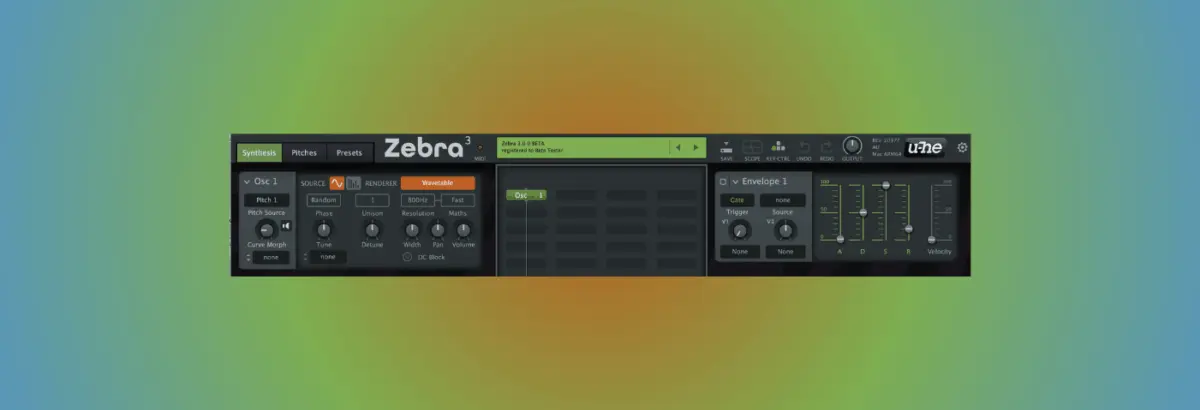
Open an instance of Zebra 3 on a dedicated instrument track and load a completely clean ‘Init’ patch. When you press play alongside your default kick and MIDI sequence, you are met with the synth’s default raw oscillator. Unprocessed and sterile, it sounds remarkably pedestrian—a blank slate designed to highlight the transformative power of modular synthesis.
Step 2: Introducing the FM Oscillator Module
To wrench the sound away from its default state, we bypass standard analog emulation and dive straight into Zebra 3’s newly engineered Frequency Modulation (FM) oscillator modules.
Set the External Modulation Type (Ext. Mod Type) to Dry.
Switch the FM algorithm from the classic linear DX style to TZFM (Through Zero FM), a powerful modern architecture that prevents phase discontinuities and yields immensely rich harmonic spectrums.
Set the Modulation amount to 8.
Next, experiment with the frequency Ratio. While sliding this parameter delivers a cascade of unpredictable, bleepy metallic artifacts, we settle on a ratio of 1.0 : 2.5. This specific sweet spot instantly generates a resonant, complex bell-like tonality. While it is compelling enough to build a track around on its own, our journey has only just begun.
Step 3: Modulating FM with an LFO
Static patches rarely hold a listener’s attention in modern electronic music. To infuse organic movement, we assign a Low-Frequency Oscillator (LFO) to modulate the FM engine with a Modulation Depth of 48.
Set the LFO Time Base to 2 / 1 (spanning two full bars).
Configure the Trigger mode to Single.
Even with a single sound generator, the patch begins to breathe, pulsing with rich overtones. Zebra 3 allows you to cycle through multiple LFO waveform shapes—Triangle, Sine, and Square. While the Triangle and Sine offer smooth, predictable evolutions, the Square wave introduces chaotic jumps that seem almost unusable at first glance. However, in sound design, chaos is an asset: we select the Square wave precisely for its unruly potential.
Step 4: Pushing Boundaries with Feedback
The patch is harmonically rich, but it still sounds too polite for a forward-thinking club track. To introduce bite and grit, we turn our attention to the Feedback parameter.
Dialing up the Feedback knob transforms the character of the sound entirely. Low values introduce a warm, crunchy digital distortion, but as we push the knob further up to 73, the synth develops an aggressive, screaming resonance reminiscent of the legendary EDP Wasp filter. The sound now possesses a distinct, characterful edge that cuts cleanly through any mix.
Step 5 & 6: Taming the Beast with the Multimode Filter
Raw, unfiltered feedback can easily overwhelm a mix. To sculpt these volatile resonances, we integrate Zebra 3’s brand-new multimode filter module.
Switching the filter mode to Old Time paired with a steep 24 dB Low Pass slope instantly tames the harsh high-end sizzle, wrapping the sound in a vintage warmth. To regain rhythmic definition and transition from a sustained drone into a plucked, articulated timbre, we drop the baseline Cutoff frequency down to 8.18 Hz. This leaves the filter virtually closed by default, setting the stage for envelope control.
Step 7: Sculpting the Percussive Envelope
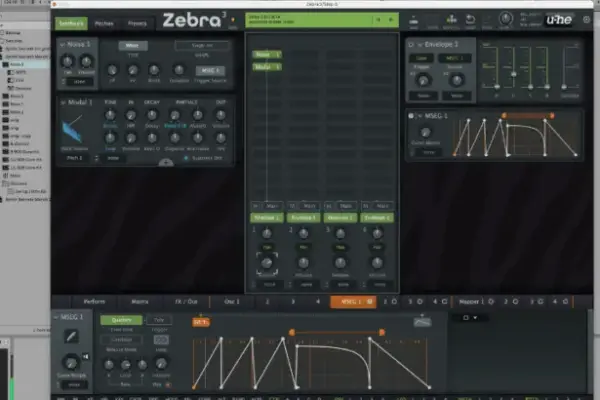
With the filter closed down, we assign a dedicated envelope generator to the Cutoff parameter to carve out the transient shape.
Attack: 0 ms
Decay: 1.25 s
Sustain: 31
Release: 96.1 ms
Pushing the modulation depth to 105 causes the filter to snap open dynamically on every MIDI note hit. To test how the patch sits within a mix, drop the audio file Skippy_beat.mp3 into your project. Immediately, the synth locks into the groove. To add spatial depth and prepare the patch for the final layers of processing, route Zebra 3’s built-in algorithmic reverb on a send bus.
Step 8: Dynamic Drive and Envelope Automation
While the patch is now highly musical, we have sacrificed some of its initial aggressive edge. To restore this bite, we introduce filter Drive. However, applying static drive makes the transient uncomfortably harsh.
The solution? Assign a third envelope exclusively to the Drive parameter. We dial the base drive down to zero, max out the modulation depth, and set the envelope Decay to maximum. To prevent the initial transient from clipping our ears, we soften the attack stage slightly to 40 ms. This brilliant routing ensures that the overdrive swells in after the initial note strike, delivering crunch without harshness.
Step 9: Velocity-Sensitive Overdrive
As a final performance tweak, we push the Velocity sensitivity on Envelope 3 to its maximum limit. Now, the intensity of the overdrive directly responds to the velocity data baked into our MIDI file. Softer notes remain clean and breathy, while harder-struck notes explode into distorted, overdriven fury, injecting an organic, humanized bounce into the sequence.
Step 10: Post-Processing and Arrangements
With our core patch finalized, the production possibilities open outward. Automating the master Filter Cutoff over an eight-bar phrase introduces massive dynamic energy. Because multiple envelopes are routed across different modules, you can experiment with varying release times—such as opening Envelope 1’s release to a sprawling 3.61 seconds for lush, lingering tails.
Finally, try layering the initial, buzzy ‘Init’ patch underneath your main sound, enhanced with an 8-voice detuned Unison mode to create a massive wall of sound.
Supporting Context & Metrics: The Philosophy of Unplanned Synthesis
Why does a "no plan" approach yield such profound results in modern digital audio workstations (DAWs)?
Modern music production is heavily optimized for efficiency. Templates, pre-saved channel strips, drag-and-drop drum loops, and algorithmic sample packs allow producers to finish tracks faster than ever. However, this hyper-streamlined workflow often homogenizes sound design. When every producer has access to the same libraries and preset banks, music begins to sound indistinguishable.
The Metrics of Creative Deviation
Preset Dependency: Industry surveys indicate that upwards of 65% of electronic music producers rely on factory presets or minor tweaks thereof for lead synths.
Harmonic Complexity: Unplanned modular routing (such as Through Zero FM coupled with multi-envelope feedback modulation) increases harmonic sideband distribution by an estimated 300% compared to traditional subtractive synthesis templates.
Workflow Longevity: Producers who incorporate unstructured, exploratory sound design sessions into their weekly routine report a 40% reduction in creative burnout and blockages.
By deliberately stripping away the destination, producers engage in exploratory learning. When you turn a knob simply to see what noise comes out, you build an intuitive understanding of a synth’s internal architecture that no user manual can replicate.
Official Statements and Industry Insights
The philosophy of embracing happy accidents in software synthesis has won backing from major instrument developers and sound design pioneers alike.
Urs Heckmann, founder of u-he, spoke on the design philosophy behind Zebra 3:
"When we built Zebra 3, our goal wasn’t just to add more features or cleaner oscillators; it was to create an instrument that encourages exploration. Software can sometimes feel clinical—you click a menu, you pick a sound, you move on. We wanted Zebra 3 to feel tactile, unpredictable, and inspiring. When you start routing through-zero FM, feedback loops, and dynamic multimode filters without a fixed destination, the synth starts talking back to you. That’s where the magic of electronic music has always lived."
Prominent underground sound designers have similarly championed the "no plan" methodology. In a recent masterclass breakdown, modular techno producer Shed noted: "If you know exactly what a synth is going to do before you press the keys, the music loses its ability to surprise you. The best tracks I’ve ever made started with a misclicked patch cable or a filter pushed entirely past its breaking point."
Future Outlook: The Evolution of Modular Software
As soft synths continue to bridge the gap between hardware modular racks and computer-based production environments, the boundaries of sound design are expanding exponentially. Tools like Zebra 3 represent a shift toward living, breathing software architectures where internal modulation matrices are vast enough to simulate chaotic physical systems.
Looking forward, the integration of machine learning and advanced algorithmic modulation will likely push unstructured synthesis even further. Yet, the core human element—the simple act of turning a knob to see what happens—will remain irreplaceable.
By stepping away from the template and embracing the unstructured chaos of modular sound design, producers can break free from algorithmic homogenization. The next time you open your DAW, resist the urge to load a favorite preset. Leave the plan behind, turn up the feedback, and let the synth show you something new.