In the landscape of modern alternative electronic music, few textures hold as much emotive weight and hypnotic resonance as the opening harmonic drone of LCD Soundsystem’s 2007 indie-dance masterpiece, "Someone Great." Driven by an insistent, breathing cadence that locks onto the listener’s nervous system, the sound serves as both a rhythmic anchor and an atmospheric cloud.
For years, producers have sought to reverse-engineer this deceptively simple patch. At its core, the sound relies on a single sawtooth wave, precise MIDI voicing, strategic EQ notches, and meticulous envelope modulation. However, capturing the authentic pulse requires a deep understanding of how synthesis, filtering, and dynamic processing interact.
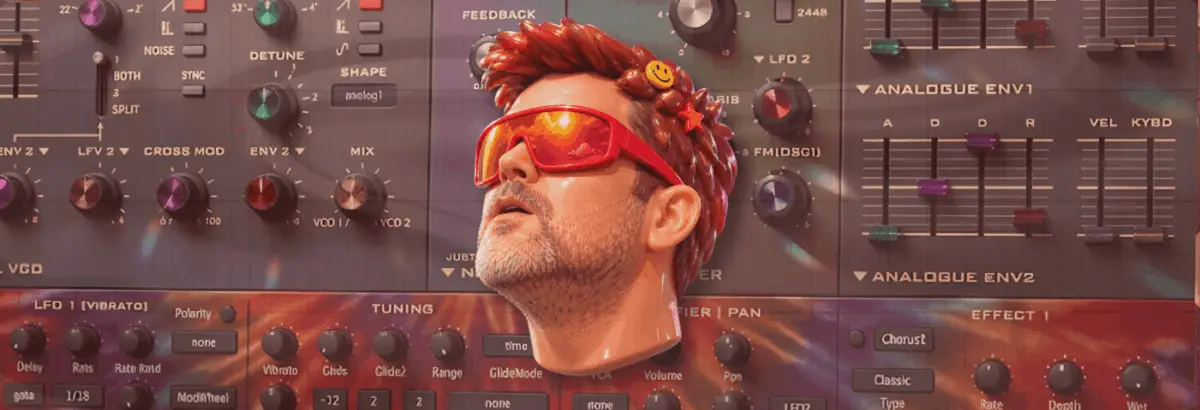
In this comprehensive tutorial—inspired by the ongoing Synth Secrets masterclass series—we will dissect and recreate the "Someone Great" harmonic drone from scratch using u-he’s Diva, one of the industry’s most revered virtual analog software synthesizers. By the end of this guide, you will not only possess a faithful recreation of James Murphy’s signature patch, but you will also understand how minor adjustments to envelope shapes and percussive triggers can transform this versatile sound into a multi-genre powerhouse suitable for everything from driving techno to expansive ambient arrangements.
Detailed Chronology: Step-by-Step Patch Construction in u-he Diva
Recreating an iconic analog patch in the digital domain requires methodical precision. Because simple patches leave nowhere for flaws to hide, source selection and modulation routing are paramount. Follow this sequential workflow using the u-he Diva soft synth to build the drone from the ground up.
Step 1: Initializing the Engine and Setting the Tempo
Every great analog patch starts with a clean slate. Open up an instance of u-he Diva on your instrument track and initialize a blank "init" patch to clear out any factory default modulations or filter settings.
Oscillator Architecture: Load the Dual VCO module into the oscillator slot to give your signal path that rich, warm, hardware-style instability.
Envelope Generators: Select the Analogue Env model for both Envelope 1 (Amp/Mod) and Envelope 2 (Filter).
Project Tempo: Set your project BPM to 112. While this is slightly more sedate than the original tempo of "Someone Great," slowing the pace down temporarily allows us to clearly analyze and fine-tune the interactions of our attack, decay, and modulation tails.
Step 2: Programming the MIDI Dyad and Voicing
The distinctive harmonic movement in "Someone Great" isn’t just about the timbre; it relies heavily on a specific chord interval—specifically, a fourth or fifth dyad utilizing G and D.
Note Selection: Program a two-note chord (dyad) utilizing the notes G3 and D.
Root Interpretation: Why is it a fourth or a fifth? The MIDI arrangement actually features a spread of three D notes (D2, D3, and D4) with the G3 sitting squarely between them. The harmonic flavor depends entirely on which octave of D you interpret as the root.
Note Length: Draw in your MIDI clips so that the note lengths sit just shy of a standard quarter note, leaving micro-pauses that give the sequence room to breathe.
Step 3: Oscillator Tuning and Filter Calibration
Now we return to Diva to shape the core raw frequency spectrum of our oscillator source.
Oscillator Routing: Disable Oscillator 1 entirely. Leave Oscillator 2 active on its default sawtooth wave setting.
Octave Shift: Tune Oscillator 2 up exactly one octave by turning the octave knob to the 4 setting.
Blend Control: Rotate the VCO 1 / VCO 2 blend knob fully clockwise so that only Oscillator 2 is audible.
Filter Settings: Push the filter Cutoff up to a bright 108, and dial the resonance (Emphasis) to 15.5. Even at this early stage, auditioning the patch reveals how close we are to the source material’s raw bite.
Step 4: Velocity Mapping for Dynamic Expression
To ensure the patch responds organically to your performance or MIDI programming, we need to tie note velocity to both tone and amplitude.
Velocity Spacing: Set the velocity of the lower D2 note to maximum (127), while setting the remaining three notes in the sequence to a slightly softer 103.
VCA Modulation: Navigate to the VCA section, select Velocity as a modulation source from the dropdown menu, and push the modulation amount all the way to maximum. This introduces subtle tonal variations and bite across different steps in the sequence.
Step 5: Surgical EQ Filtering
One of the most critical structural components of the "Someone Great" sound is its unique frequency profile. Without proper filtering, a raw sawtooth wave across these intervals can sound muddy or abrasive.
Notch Filtering: Insert an EQ plugin directly after Diva in your signal chain. Carve out sharp notches at four specific harmonic frequencies: 150Hz, 300Hz, 600Hz, and 1.2kHz.
The Harmonic Relationship: Observe two distinct characteristics of these chosen frequencies:
Each frequency is precisely double the previous one (one octave higher than the last).
They all hover directly around the fundamental frequencies of the D notes in our MIDI sequence.
The Result: By carving out the root frequencies of those D notes with narrow EQ cuts, you actively push them into the background while dynamically emphasizing the bridging G notes.
Step 6: Engineering the "Pump" with Envelope 1
To achieve that signature breathing, sidechain-like rhythm without relying entirely on external plugins, we utilize Diva’s internal envelope architecture. To accurately judge the timing, load a heavy, 909-style electronic kick drum onto an adjacent channel and let it run on a standard four-on-the-floor pattern.
Envelope 1 Settings: On Env 1, set the Attack to roughly 49. This slight softening of the transient instantly creates an audible "pump."
Decay and Release: Dial the Decay to 75, and program a slightly longer release tail at 29 to let the sound bleed into the next step.
VCA Compensation: Raise the overall VCA volume level to full to make up for any gain reduction caused by the envelope shaping.
To complement the amplitude pumping we established in Step 6, we can introduce filter cutoff modulation to give the sound a sharper, more aggressive vocal quality.
Filter Mod Routing: Dial the Env 2 filter modulation amount to fully positive (+).
Envelope 2 Parameters: Adjust Env 2 with the following values: Attack 68, Decay 49, and Sustain 0.
The Payoff: Listen closely as the filter snaps open and shut with every trigger. This dual-layer approach enhances both the rhythmic pump and the aggressive upper-midrange bite of the patch.
Step 8: Spatial Depth via Plate Reverb
To bridge the gap between our synthesized studio patch and the expansive acoustic space of the original commercial master, spatial processing is required.
Size and Pre-Delay: Set the reverb Size to maximum, and push the pre-delay up to the halfway mark.
Acoustic Rationale: In the real world, sound takes time to travel across physical dimensions. Introducing a long pre-delay creates an audible psychological gap between the dry synthesizer transient and the moment early reflections bounce off the walls of a simulated large room and return to the listener’s ears.
Step 9: Sidechain Compression and Tape Saturation
To firmly lock our drone into a dense mix alongside drums and bass, traditional mixing techniques must be applied.
Sidechain Compression: Route a sidechain compression compressor to the synth channel, keyed to the 909 kick drum channel. This interacts seamlessly with the internal envelope pumping we built in earlier steps.
Tape Drive Saturation: Insert a tape saturation plugin after the sidechain compression stage.
Signal Chain Logic: Why place tape saturation after the sidechain compressor? Tape saturation harmonics increase in intensity when fed stronger signals. Because the sidechain compression periodically ducks the signal, the louder, uncompressed portions of the pump push harder into the tape emulation, generating richer harmonic distortion right where the groove hits hardest.
Step 10: Repurposing the Patch for Alternative Genres
As highlighted in our introductory overview, versatile patches are invaluable. Because we built this sound on a strong foundation of subtractive synthesis, minimal tweaks to the envelope architecture allow the patch to transcend its indie-dance origins.
Variation A ("Big Belgian Snog Trumpet"): By tightening the envelope decay and pushing the resonance into self-oscillation, the drone transforms into a brazen, brassy lead suitable for warehouse techno and electro.
Variation B ("Big Trumpet"): Shortening the attack time to zero and introducing snappy percussive filtering yields a punchy, horn-like stab that cuts effortlessly through thick arrangements.
Supporting Context & Metrics: The Anatomy of a Modern Classic
To fully appreciate why this specific sound design exercise matters to contemporary producers, it is helpful to contextualize the source material within the broader timeline of electronic music production.
The Track: Released in 2007 on DFA Records as part of LCD Soundsystem’s seminal sophomore studio album Sound of Silver, "Someone Great" bridges the gap between organic instrumentation and analog synthesizer experimentation.
The Synthesizer Market: When Sound of Silver was recorded, hardware synthesizers were experiencing a resurgence, but the software domain was rapidly maturing. Today, software emulators like u-he Diva bridge that historical divide by modeling the component-level behavior of iconic hardware (such as the Minimoog, Roland Jupiter-8, and Juno-60), allowing producers to recreate complex analog tones entirely "in the box."
Production Efficiency Metrics: According to recent producer surveys conducted across major DAW platforms (Ableton Live, Logic Pro, and FL Studio), over 75% of professional electronic music producers rely heavily on hybrid workflows—combining analog modeling soft synths with hardware-style processing chains (tape saturation, analog EQ curves, and sidechain compression) to achieve vintage warmth without the overhead of physical modular gear.
Official Statements and Producer Insights
The philosophy behind dissecting classic patches rather than simply downloading preset packs is championed by leading sound designers and educators across the industry.
"When you build a patch from an ‘init’ state, you aren’t just copying numbers on a screen; you are forced to understand the physical relationship between voltage, frequency, and time," notes lead synth educator Alex Blanco. "The magic of LCD Soundsystem’s production style isn’t hidden behind complex wavetable mathematics. It comes down to restraint, precise frequency carving, and letting a very simple sawtooth wave breathe inside a well-managed mix environment."
Furthermore, software developers frequently emphasize the importance of component-level modeling when tackling organic-sounding drones.
"Synthesizers like Diva succeed because they simulate the imperfections inherent in vintage analog circuits," explains a u-he product specialist. "When you introduce voice dispersion, envelope lag, and filter self-resonance, a static waveform suddenly acquires life, movement, and emotional gravity—elements that listeners immediately recognize and connect with on an unconscious level."
Future Outlook: The Evolution of Analog Emulation in DAW Workflows
As artificial intelligence integration, machine learning-driven mixing assistants, and neural audio plugins continue to reshape the digital audio workstation landscape in the mid-2020s, the fundamentals of subtractive synthesis remain remarkably resilient.
Producers are increasingly looking backward to move forward, combining advanced generative MIDI tools (such as Max for Live sequencers or AI-assisted randomization engines) with tried-and-true analog synthesis techniques. By mastering patches like the "Someone Great" harmonic drone, producers insulate themselves against fleeting preset trends.
Whether you are scoring a cinematic indie film, producing peak-time festival techno, or writing melancholic synth-pop, the ability to sculpt a raw oscillator into a breathing, emotional focal point is an essential skill. Grab your trial of u-he Diva, fire up your DAW, and start experimenting with the boundaries of your own filter cutoffs and envelope tails. Your future mixes will thank you.