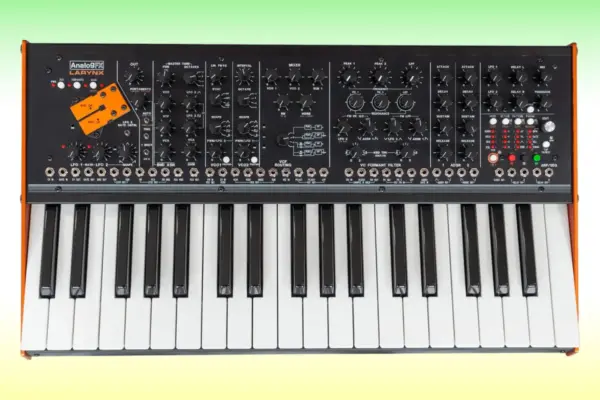

Executive Overview
In the modern landscape of electronic music production, the sheer ubiquity of pre-packaged samples has made it deceptively easy to bypass sound design fundamentals. With millions of polished, ready-to-use kick drum samples available at the click of a mouse, producers frequently overlook the profound creative benefits of programming their own synthesized low-end. Yet, crafting a kick drum from scratch using fundamental synthesis principles offers unmatched control over tonality, punch, and space within a mix.

This guide provides an exhaustive, step-by-step masterclass in programming a professional-grade electronic kick drum using u-he’s legendary virtual analog synthesizer, Diva. By bridging the sonic architectures of two iconic hardware drum machines—the punchy, transient-heavy TR-909 and the deep, sub-heavy TR-808—producers can forge a hybrid kick that delivers both rhythmic definition and heavyweight low-end foundation. Moving past basic waveform generation, this tutorial explores envelope modulation, filter routing, pitch tuning, and advanced bouncing techniques to ensure your low-end hits hard in both underground techno clubs and pristine studio monitors.

Detailed Chronology: Step-by-Step Synthesis Guide
Step 1: Initialization and the Core Philosophy of Synth Kicks
The foundational element of nearly every classic electronic kick drum is deceptively simple: a pitch envelope applied to a basic analog oscillator, such as a sine or triangle wave. This is the exact blueprint utilized by the Roland TR-808 and TR-909.

To replicate this process:

- Load up an instance of u-he Diva on your instrument track.
- Initialize the plugin by selecting the INIT patch to clear out any complex modulation routings or effects.
Step 2: Configuring Diva’s Modular Architecture
Before generating any sound, you must configure Diva’s underlying hardware-emulation modules to support deep low-end synthesis:

- Oscillators: Choose the DUAL VCO module.
- High-Pass Filter: Select HPF PRE to clear out unwanted sub-audible rumbling early in the signal chain.
- Low-Pass Filter: Select MULTIMODE for precise cutoff shaping.
- Envelopes: Set both envelopes to Analogue mode for authentic hardware-style drift and response curves.
- Sequencing: Program a standard four-on-the-floor kick pattern rooted on F#1. Keep the MIDI note lengths exceptionally short—around a 1/16th note—to retain maximum flexibility for length manipulation later.
Step 3: Oscillator Calibration and Phase Synchronization
Next, configure the Digital Controlled Oscillators (DCOs):

- Set Oscillator 1 to a triangle wave, providing the gritty, mid-range body reminiscent of a 909 layer.
- Set Oscillator 2 to a sine wave, delivering the warm, sub-heavy characteristics of an 808 vibe.
- Set the Tune MOD mode to BOTH, ensuring that your pitch envelope acts upon both oscillators simultaneously.
- Engage SYNC to lock the phases of the oscillators together, preventing intermittent phase cancellation and ensuring consistent transient impact on every hit.
Step 4: Crafting the Transient with Pitch Envelopes
To transform these static oscillators into a functional kick drum, pitch modulation is required:

- Set the Tune MOD Env parameter to fully positive (+).
- Because Envelope 2 is now mapped directly to oscillator pitch, start by zeroing out the Sustain and Release parameters.
- Listen closely as you rapidly pull down the Decay time toward 32. The rapid descent in pitch instantly conjures a tight, recognizable acoustic analog kick drum.
Step 5: Shaping the Amp Envelope for Length and Tone
With the basic pitch structure in place, focus on the amplitude envelope to dictate the overall length and character of the sound:

- Bring the Sustain parameter down to zero.
- Gradually increase the Release time from 20 up to 50.
The release phase acts as the primary length control. As demonstrated across various audio states, manipulating this parameter drastically alters the kick’s character, shifting it from a tight, punchy, classic 909-style transient into a long, tonal sub-bass beast frequently deployed in hardcore techno and minimal house.

Step 6: Exploiting the Filter Section for the "909 Click"
The low-pass filter section is the ultimate weapon for generating the coveted 909 "click" transient:

- Assign Envelope 2 to the low-pass filter cutoff with a fully positive (+) modulation amount.
- Lower the filter Cutoff down to approximately 34. This swift sweep introduces a crisp, high-frequency snap at the start of the transient.
- Toggle the Oscillator Mix between Osc 1 and Osc 2 to hear the tonal balance shift: Osc 1 provides the sharp, clicky 909 bite, while Osc 2 adds rich, warm, saturated 808 sub-harmonics.
Step 7: Fine-Tuning and Pitch Editing for Dynamic Grooves
To integrate the kick seamlessly into a musical arrangement, fine-tuning is essential:

- Adjust the Fine Tune control to position the fundamental frequency of the kick within the key of your track.
- Experiment with varying MIDI note lengths and higher root notes. While short kicks remain unaffected, kicks with extended release tails become highly tonal, opening creative avenues for melodic pitch edits and rolling bass patterns.
Supporting Context & Metrics: Advanced Production Techniques
Building custom analog-style kick drums opens up advanced mixing strategies that pre-mixed sample packs simply cannot match. Professional producers leverage these synthesis techniques to solve common low-end mixing challenges.
Bonus Tip 1: Using Synth Kicks as Sub-Bass Foundations
Synthesized kicks make exceptional sub-bass tools. By layering your synthesized kick beneath an acoustic or heavily processed sample kick—and slightly raising the amp envelope release—you gain immense sub-bass weight without cluttering the transient punch. However, this introduces a notable technical snag: overlapping decay tails.
Bonus Tip 2: Audio Bouncing and Seamless Looping
Because long decay tails bleed into subsequent hits, every consecutive kick drum sounds slightly different due to envelope re-triggering and phase interaction.
- The Solution: Render your Diva kick to audio, isolate a pristine quarter-bar loop containing your preferred tail, and loop that audio region across your arrangement. This guarantees absolute consistency and eliminates unwanted low-end mud.
Bonus Tip 3: Emulating Analog Imperfection vs. Club Consistency
Analog emulation plugins like Diva introduce subtle, organic variations in phase, timing, and transient snap with every keystroke. While this warmth is desirable in organic, hardware-jam styles of electronic music, tight electronic club bangers often demand absolute sample accuracy. Rendering out a single, perfect cycle of your synthesized kick and programming it as a static audio sample ensures maximum punch on peak club sound systems.
Official Statements and Industry Insights
Top-tier sound designers and mixing engineers consistently advocate for synthesis over sample browsing when building signature low-end identities. Industry consensus highlights that relying solely on static sample libraries boxes producers into a homogenized sonic palette.
As noted by synth experts and modular pioneers, mastering subtractive synthesis on platforms like u-he Diva—or expanding further into semi-modular environments like Zebra 3—grants producers absolute dominion over every harmonic overtone, filter resonance peak, and pitch sweep curve. Rather than wrestling with EQ and transient shapers to force an ill-fitting sample into a mix, building from a raw sine or triangle wave ensures that the kick drum is inherently tailored to the track’s specific key, tempo, and headroom requirements.

Future Outlook
As virtual analog synthesis and physical modeling technologies continue to advance, the boundary between hardware drum machines and software emulations grows increasingly razor-thin. Producers no longer need thousands of dollars in vintage Roland hardware to achieve authentic, analog-driven low-end authority.
Future developments in machine learning-assisted synthesis, intelligent phase alignment, and adaptive low-end processing will likely make custom kick generation even more intuitive. However, the foundational rules remain immutable: understanding how pitch envelopes, oscillators, and filters interact is what separates amateur beat-making from professional-grade music production. By investing time into programming custom synthesized kick drums in plugins like u-he Diva, producers future-proof their workflows, ensuring a unique, powerful, and instantly recognizable sonic signature in an increasingly crowded global music market.